

ClockBuddy: Alarm WorldClock
They include Alarm Clock, Timer, Stopwatch, WorldClock, Bedside Clock with many beautiful themes and widgets.ClockBuddy is the best alarm clock app for Android.
If you want to wake up listening to your favorite radio station or keep up with the latest news, ClockBuddy is the right alarm app for you.
Plus, it has a lot more features that allow you to customize your wake up experience.
Sleep better, wake up easier and be always on time!Reason why you must use ClockBuddy- It’s not just an alarm clock.
It’s a must-have, unique alarm app!- Noisy alarm, quiet alarm, voice alarm, radio alarm… We have them all here!- Even if you fall fast asleep, it goes off until the battery runs out!
Must-have alarm app for morning- Do not need to find another app for Timer, WorldClock or StopWatch, ...
ClockBuddy supports all.- Solve quizz to turn off the alarm, otherwise well keep bothering you until you jump out of bed!- Works better than other alarm clocksIf you want to wake up at the same time every day, on work days, weekends or just a few days a week, you can easily select which days when creating the alarm, and the alarm clock will go off on that selected days every week.You can simply choose a ringtone, relax music or (with our talking alarm clock) wake up with real time weather information and headline news.Set as many alarms as you like, recurring or one-time alarms, for specific days of the week or holidays.FREE FEATURES- Simple to use, Timely and accurate- A lot of alarm utility, easy to config: Set a message for each alarm, AM/PM or 24 hours format.- Solve math problem: You get to choose the difficulty level: Easy, Medium, Hard, Very Hard.- Gentle alarm with increasing volume (Alarm Fade-In) :You will be able to wake up gently from your dreams, in a peaceful and progressive way, because ClockBuddy increases alarm volume slowly instead of starting at maximum volume.
This way, you can avoid being startled with a loud sound while you are in a deep sleep.- Stopwatch: Easy to use and accurate stopwatch with lap times and alarms.
You can share result of your games, sport, work, tasks, etc to your friends- Timer: Timer online with alarm.
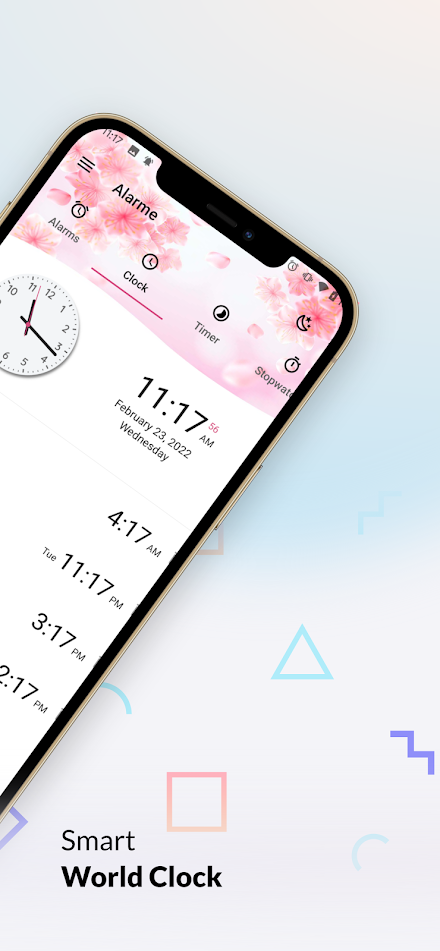
Create one or multiple timers and start them in any order.Use it for sports, fitness exercises, tabata, HIIT, games, in the kitchen, gym or wherever you need it.- World Clock: Check current local time around the world with our customizable international clock.
See the time difference between cities- Widgets: a lot of widgets are waiting to be used to give you the fasted and most ac curated information, also help to decorate your home-screen with beautiful and unique widgets.- Themes: Dark and light theme support- Bedside Clock: You can set ClockBuddy as a Screen Saver with gorgeous themes in nightstand mode.- Alarm for heavy sleepers: Prevent excessive snoozing by selecting snooze time and number of snoozes.You can dismiss the alarm by touch, shake, double tap or math calculation (perfect for heavy sleepers).ClockBuddy is the perfect free alarm clock app for those who want a different wake up experience every day, its very easy to use, customizable, for a gentle wake up in the morning or for heavy sleepers.
No more oversleep!Notice: Some devices dont allow the apps to run in the background after the restart, and make the alarms not ring sometimes.
So please check your setting to rectify the problem
About ClockBuddy: Alarm WorldClock
- Package name (App ID)
- com.qsstudio.clock.timer.theme
- Available on
- Google Play
- Price
- Free
- Developer
- QSStudio
Looking for the ClockBuddy: Alarm WorldClock APK?
The safest way to get ClockBuddy: Alarm WorldClock (com.qsstudio.clock.timer.theme) on your Android device is to install it directly from Google Play — you'll always get the latest official version, automatic updates, and no risk of modified or infected APK files from third-party sites.

Music Features
Enjoy high-quality music streaming and playback features.
Social Features
Connect and share with friends and the community.
Gaming Features
Enjoy immersive gaming experience with various game modes.
See ClockBuddy: Alarm WorldClock in Action


Frequently Asked Questions
Is ClockBuddy: Alarm WorldClock free?
Yes, ClockBuddy: Alarm WorldClock is free to download and install on Android through Google Play.
How do I install ClockBuddy: Alarm WorldClock on Android?
Open Google Play on your Android phone or tablet, search for ClockBuddy: Alarm WorldClock by QSStudio or tap the Google Play button on this page, then tap Install. The app downloads and installs automatically.
What is com.qsstudio.clock.timer.theme?
com.qsstudio.clock.timer.theme is the App ID (package name) of ClockBuddy: Alarm WorldClock on Google Play. Every Android app has a unique package name, and it is the safest way to verify you are installing the official app.
Is ClockBuddy: Alarm WorldClock safe to download?
Installing ClockBuddy: Alarm WorldClock from Google Play is the safest option: you get the official version published by QSStudio, verified by Google Play Protect, with automatic updates. Avoid APK files from unofficial third-party sites.

Get ClockBuddy: Alarm WorldClock Today
ClockBuddy: Alarm WorldClock for Android — free download on Google Play.
Compatible with Android phones and tablets — available on Google Play.
Ask AI about this app
Get instant answers about features, tips and more from popular AI assistants.